Karolina Hodurek | Product Designer
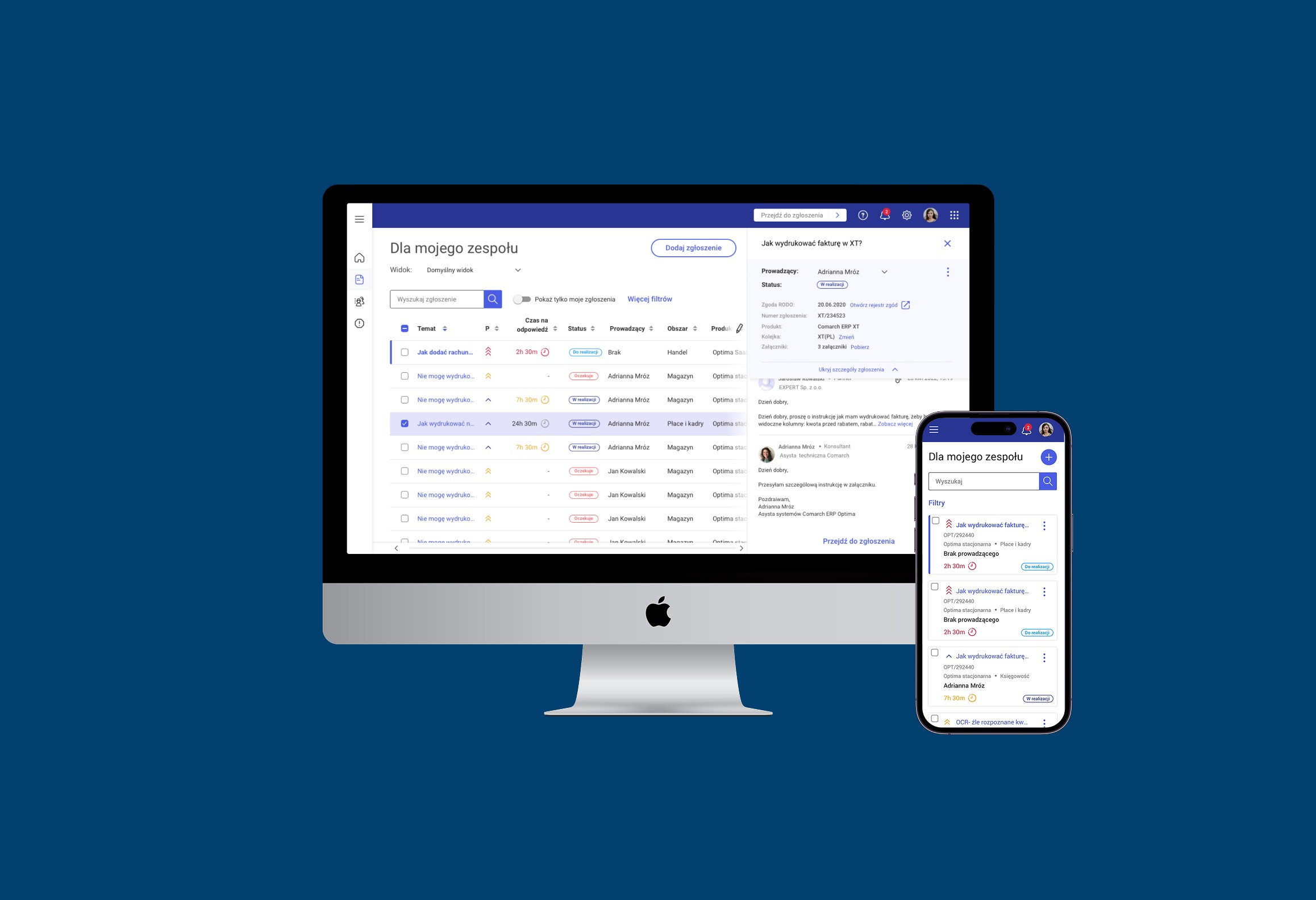
Client Request Management System

Client Request Management System

Client Request Management System

Client Request Management System

A modern, user-friendly platform that simplifies issue reporting for clients and improves case handling for support teams.

A modern, user-friendly platform that simplifies issue reporting for clients and improves case handling for support teams.

A modern, user-friendly platform that simplifies issue reporting for clients and improves case handling for support teams.

A modern, user-friendly platform that simplifies issue reporting for clients and improves case handling for support teams.

This project aimed to redesign an outdated support ticket system that was difficult to use for both customers and internal consultants. The goal was to create a modern, intuitive platform that simplifies issue reporting for clients and improves case handling for support teams.
As a UX designer, I was responsible for user research, competitive analysis, and the design of core components such as the ticket list and submission forms.

This project aimed to redesign an outdated support ticket system that was difficult to use for both customers and internal consultants. The goal was to create a modern, intuitive platform that simplifies issue reporting for clients and improves case handling for support teams.
As a UX designer, I was responsible for user research, competitive analysis, and the design of core components such as the ticket list and submission forms.

This project aimed to redesign an outdated support ticket system that was difficult to use for both customers and internal consultants. The goal was to create a modern, intuitive platform that simplifies issue reporting for clients and improves case handling for support teams.
As a UX designer, I was responsible for user research, competitive analysis, and the design of core components such as the ticket list and submission forms.

This project aimed to redesign an outdated support ticket system that was difficult to use for both customers and internal consultants. The goal was to create a modern, intuitive platform that simplifies issue reporting for clients and improves case handling for support teams.
As a UX designer, I was responsible for user research, competitive analysis, and the design of core components such as the ticket list and submission forms.

Problems and Goals

Problem

The existing support system was outdated, hard to understand, and especially frustrating for newly onboarded consultants. Customers and partners often bypassed the system entirely, choosing to report issues via direct emails, which led to scattered communication and poor tracking of support requests.

Goals

To build a clear and easy-to-use support system that:

  • Encourages clients and partners to submit tickets through the platform

  • Helps consultants manage and resolve cases more effectively

  • Reduces onboarding time for new team members Increases transparency and consistency in support communication

Design process

Discovery and research

We began the project with a discovery phase focused on understanding user pain points, expectations, and current behaviors

Discovery and research

We began the project with a discovery phase focused on understanding user pain points, expectations, and current behaviors

Discovery and research

We began the project with a discovery phase focused on understanding user pain points, expectations, and current behaviors

Define and Ideate

Using research findings, a wide range of ideas and concepts are generated. Key activities include creating personas, mapping user journeys, and prioritizing solutions based on user and business value.

UI design

Concepts are translated into user-friendly interfaces, starting with low-fidelity wireframes and progressing to detailed, high-fidelity designs. Attention is given to functionality, accessibility, and visual consistency.

UI design

Concepts are translated into user-friendly interfaces, starting with low-fidelity wireframes and progressing to detailed, high-fidelity designs. Attention is given to functionality, accessibility, and visual consistency.

UI design

Concepts are translated into user-friendly interfaces, starting with low-fidelity wireframes and progressing to detailed, high-fidelity designs. Attention is given to functionality, accessibility, and visual consistency.

Testing and implementation

Prototypes are tested with users, and feedback-driven iterations are made to refine the product. Collaboration with developers ensures a smooth implementation, followed by post-launch analysis to drive further improvements.

Testing and implementation

Prototypes are tested with users, and feedback-driven iterations are made to refine the product. Collaboration with developers ensures a smooth implementation, followed by post-launch analysis to drive further improvements.

Testing and implementation

Prototypes are tested with users, and feedback-driven iterations are made to refine the product. Collaboration with developers ensures a smooth implementation, followed by post-launch analysis to drive further improvements.

Discovery and Research

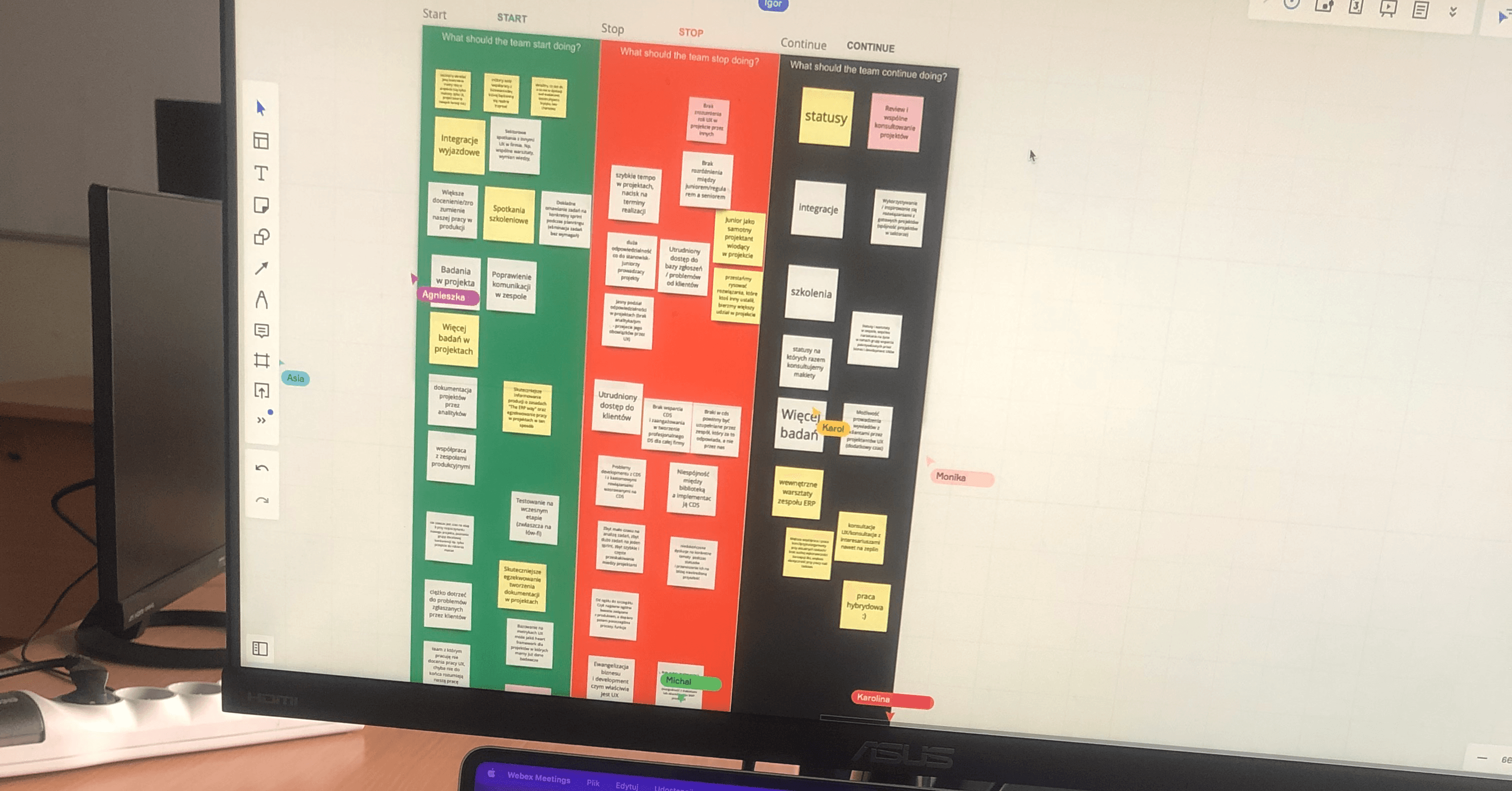
  • In-depth interviews with 8 consultants, 2 partners, and 3 clients

  • Analysis of the current system and the pain points raised in user feedback

  • Competitive research into how other platforms handle support workflows

Through these interviews, we learned:

  • Consultants found the system cluttered and unintuitive

  • Clients were confused by complex forms and unclear statuses

  • Partners avoided the system due to lack of guidance and slow responses

  • Users wanted faster communication, transparency, and better structure
Design is not just what it looks like and feels like. Design is how it works.

Steve Jobs

Define and Ideate

We synthesized our findings using

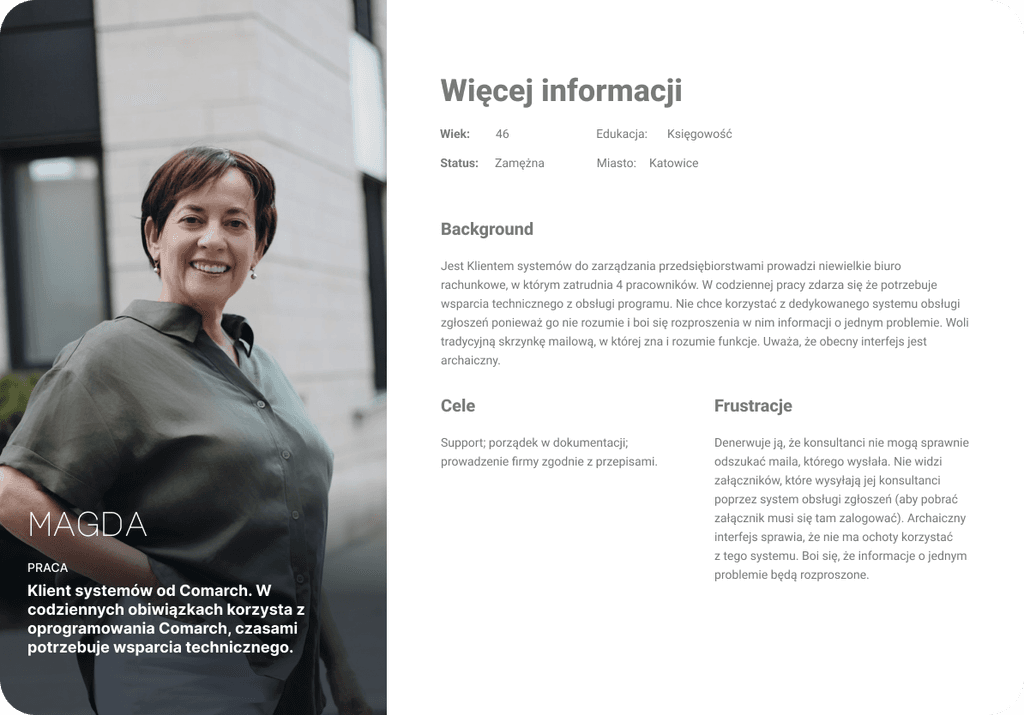
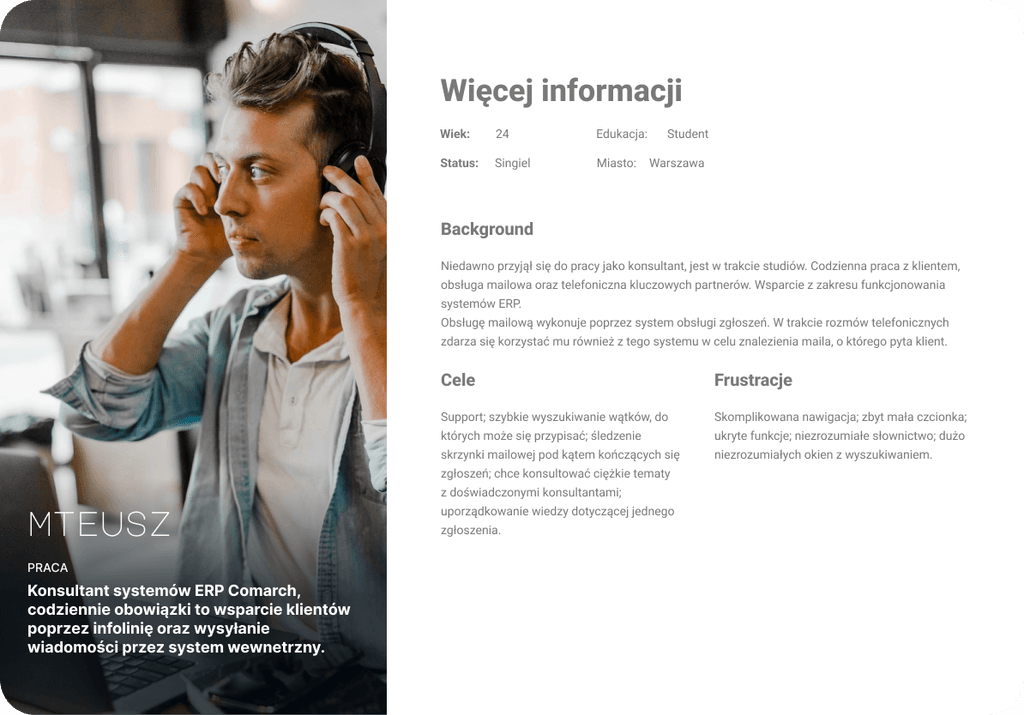
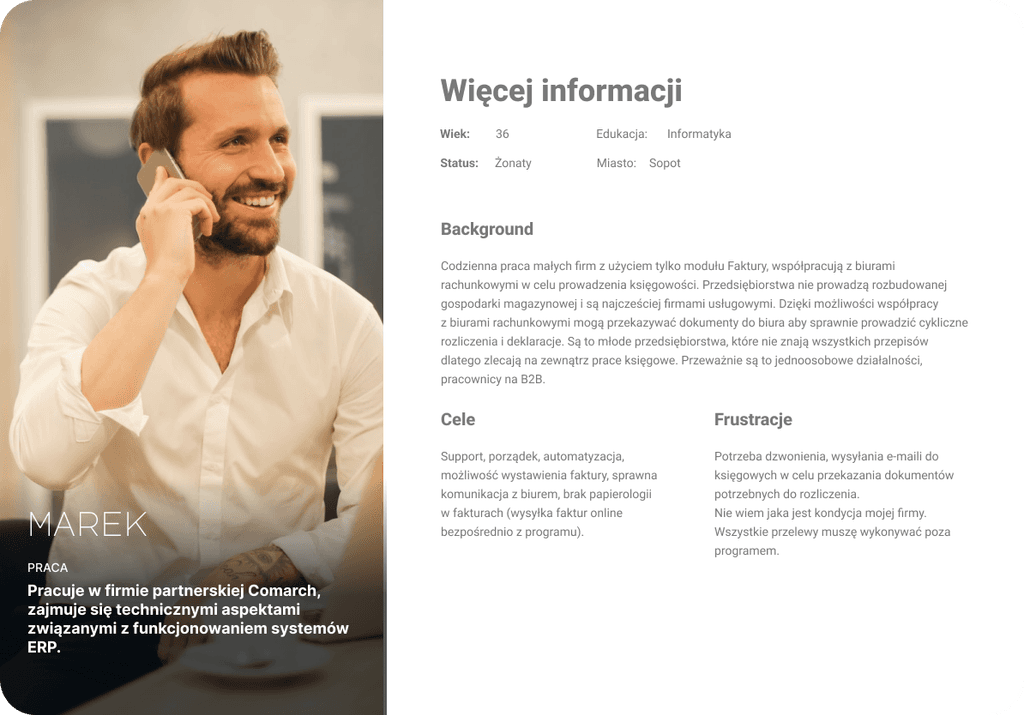
  • Personas representing consultants, partners, and clients with different levels of system experience

  • User flows mapping ticket creation, updates, and resolution paths

  • Information architecture restructuring how tickets are categorized and displayed

Design priorities

  • Simplify ticket submission and clearly show required fields

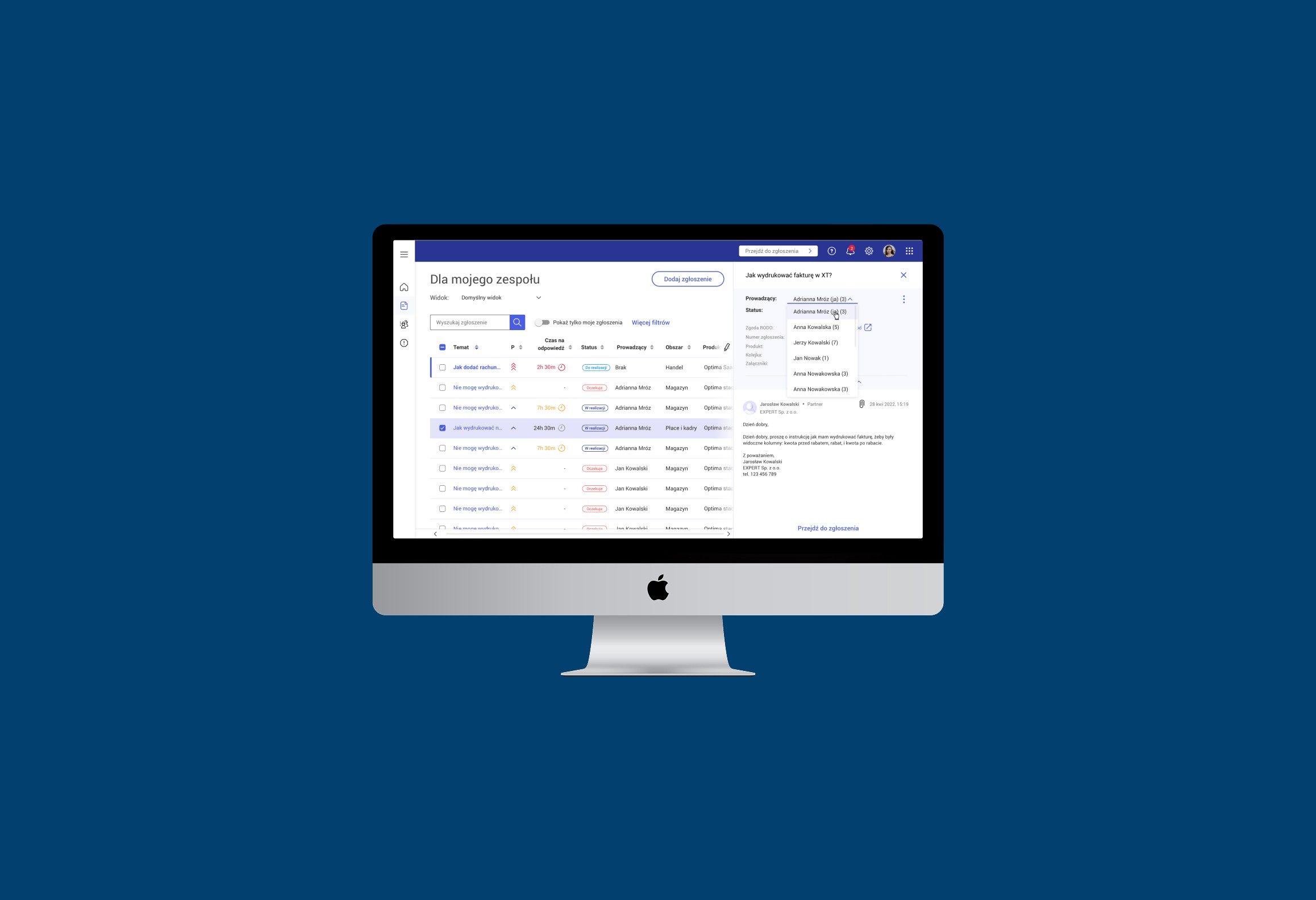
  • Design intuitive ticket lists with helpful filters and status tags

  • Improve readability and tracking for both users and consultants

  • Ensure clear feedback after submission and throughout resolution
Testing and prototyping

Who?

We created interactive prototypes and tested them with consultants and selected clients.

Key feedback and resulting changes

  • Users appreciated fewer fields and clear labels

  • Consultants wanted quicker access to case details — we optimized the list for faster scanning

  • Several users noted confusion around ticket statuses — we added a simple status explanation system

Post-test improvements

We iterated on layouts and wording based on this feedback, ensuring usability across different user groups.

Final solutions

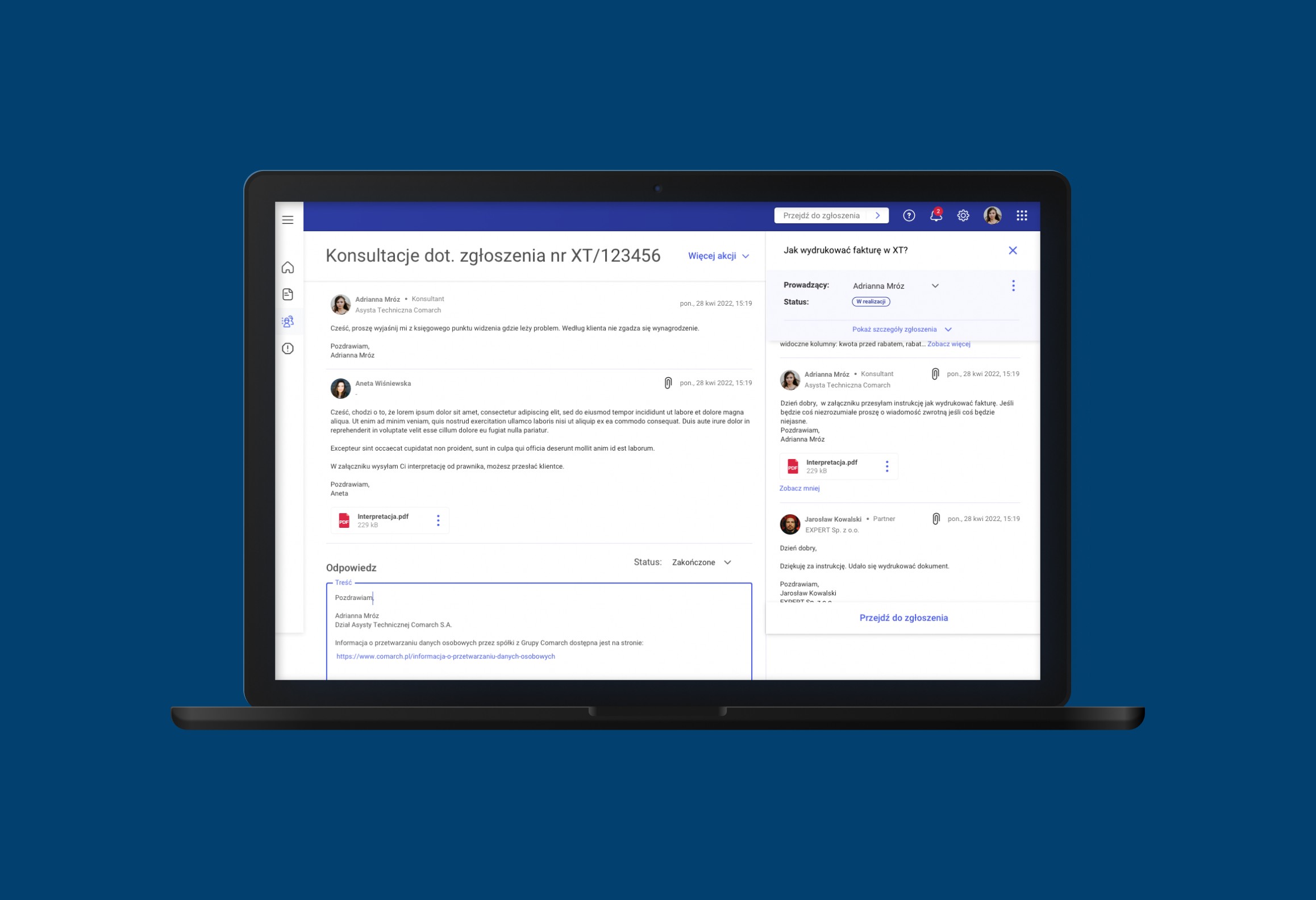
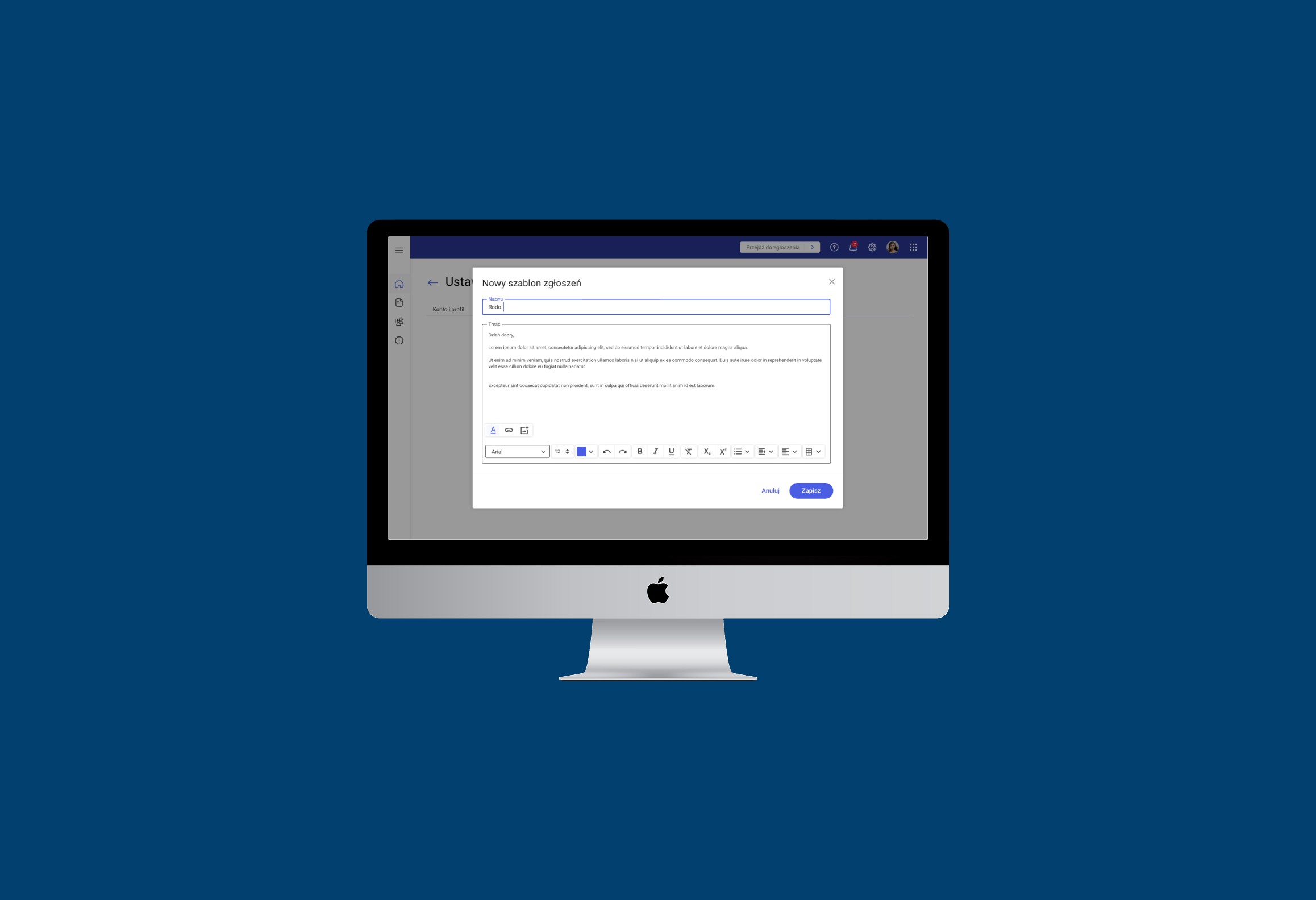
I led the design of the ticket list and submission form interfaces.
Key decisions included:

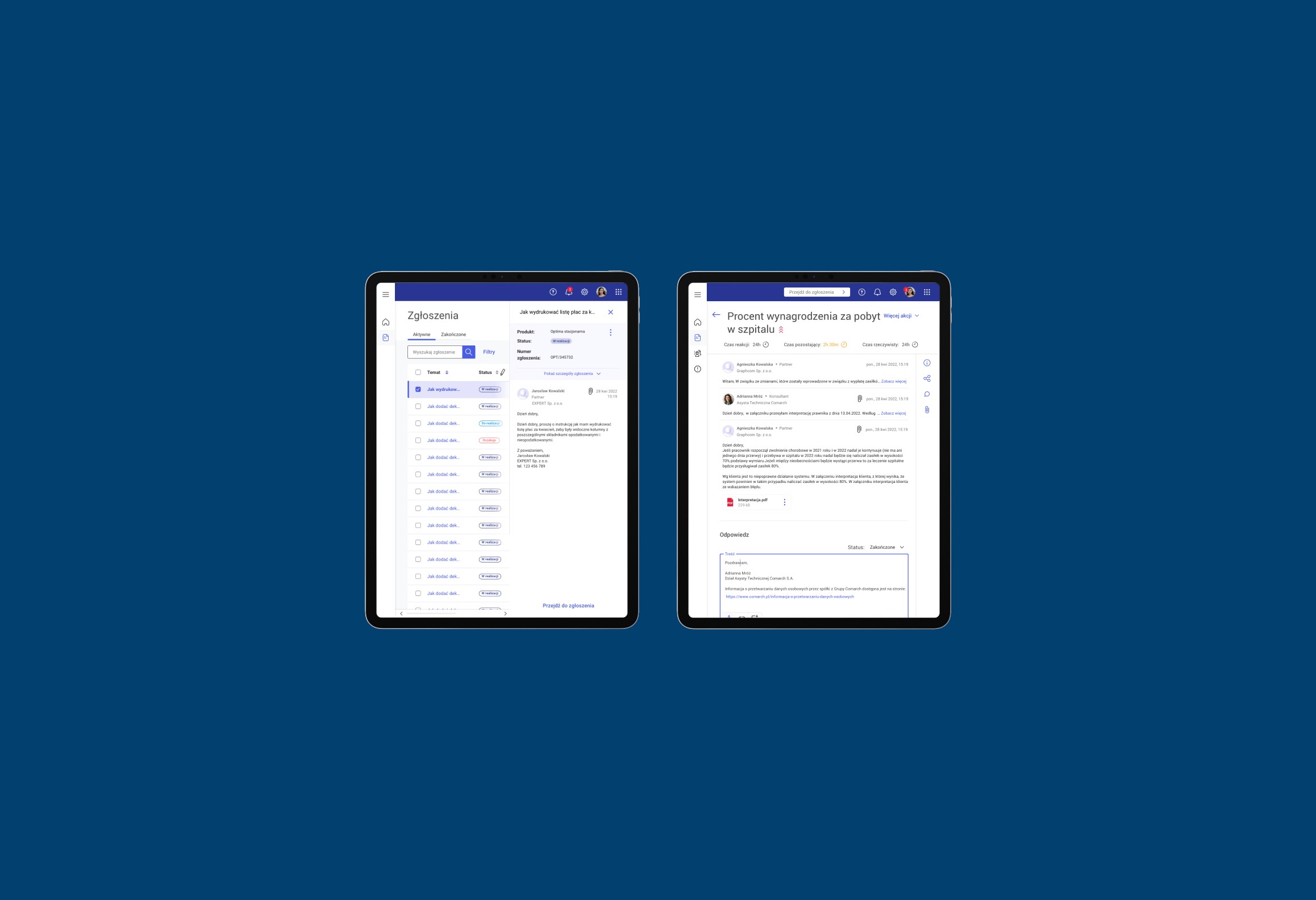
  • Using clean, accessible layouts with progressive disclosure (showing only necessary info first)

  • Highlighting ticket status and priority through visual indicators

  • Auto-saving drafts and pre-filling user data where possible

  • Making forms mobile-friendly and easy to use even for first-time users

The design also included contextual help and clearer language, removing jargon and improving overall guidance.
Outcome

Higher adoption among clients and partners — email-based submissions dropped
Faster onboarding of new consultants, who could learn the system within days
Clearer workflows and fewer support errors thanks to improved structure and tracking
Increased satisfaction among all user groups due to a smoother, more intuitive experience

What I learned

This project reinforced the value of listening closely to diverse users — consultants, partners, and clients all had unique frustrations that shaped our solution.
It also highlighted how small changes in structure and language can have a big impact on usability.
Finally, it showed me the importance of designing with scalability and clarity in mind, especially for systems that handle critical, everyday communication.

Create a free website with Framer, the website builder loved by startups, designers and agencies.